
Site audits that don't wait for signal.
The offline-first inspection app for snagging, property surveys and safety audits. Capture unlimited photos on site, with or without a connection, and send a client-ready PDF before you've left the car park.

 Soon
Soon
Built for the people who walk the site
The three things other audit apps get wrong.
We built AuditVo after reading what inspectors complain about in the apps they use today. These are the fixes.
Unlimited photos per issue
Wide shot, close-up, moisture reading, the fix. Document a defect properly, not with a single photo.
Offline first, not offline "mode"
Basements, plant rooms, rural sites. Everything saves instantly on your phone and syncs by itself when you're back in range.
No sign-up wall
Open the app and start your first audit. No email, no password, no trial countdown between you and the job.
Log every defect in seconds, with every angle.
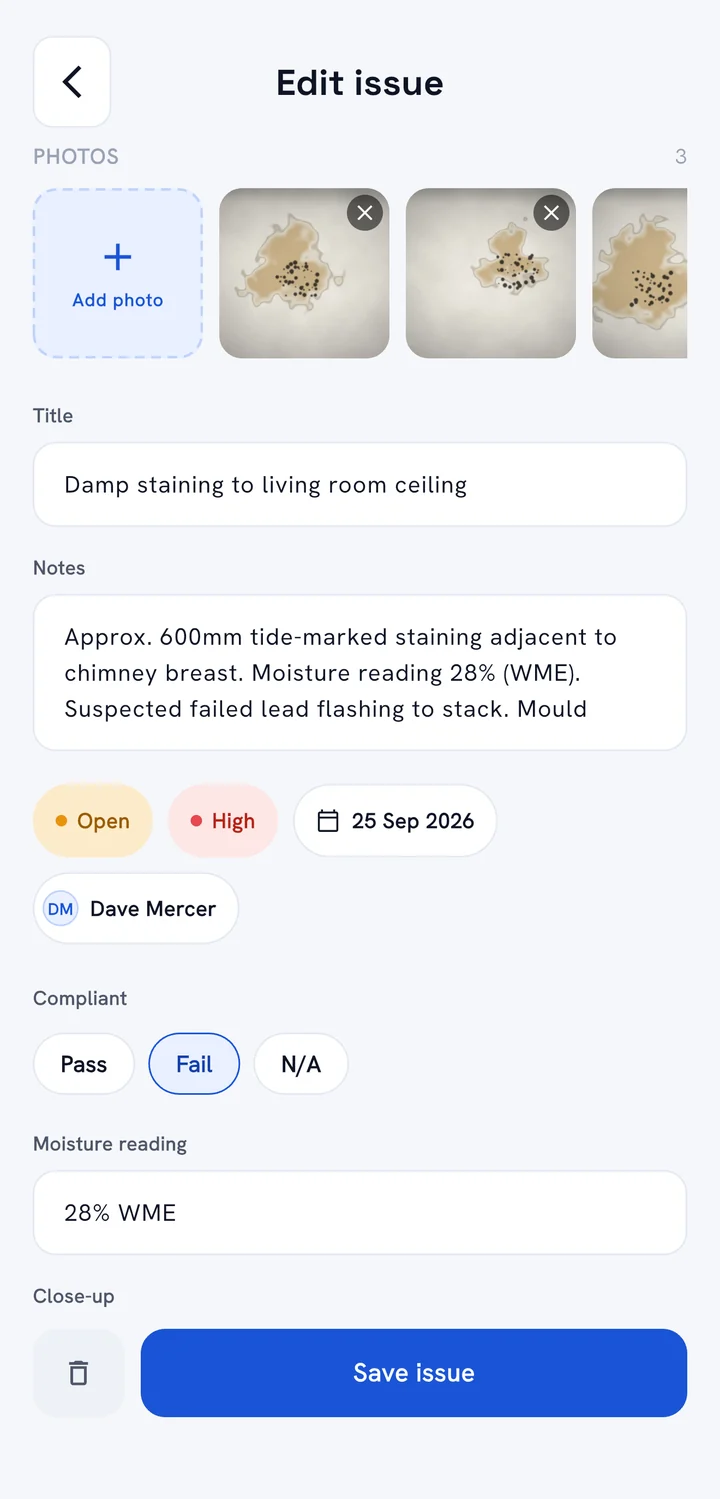
Shoot several photos in one camera session, then add notes, status, priority, a due date and who's fixing it.
- Unlimited photos on every issue
- Wide shot, close-up and the fix, all on the same defect.
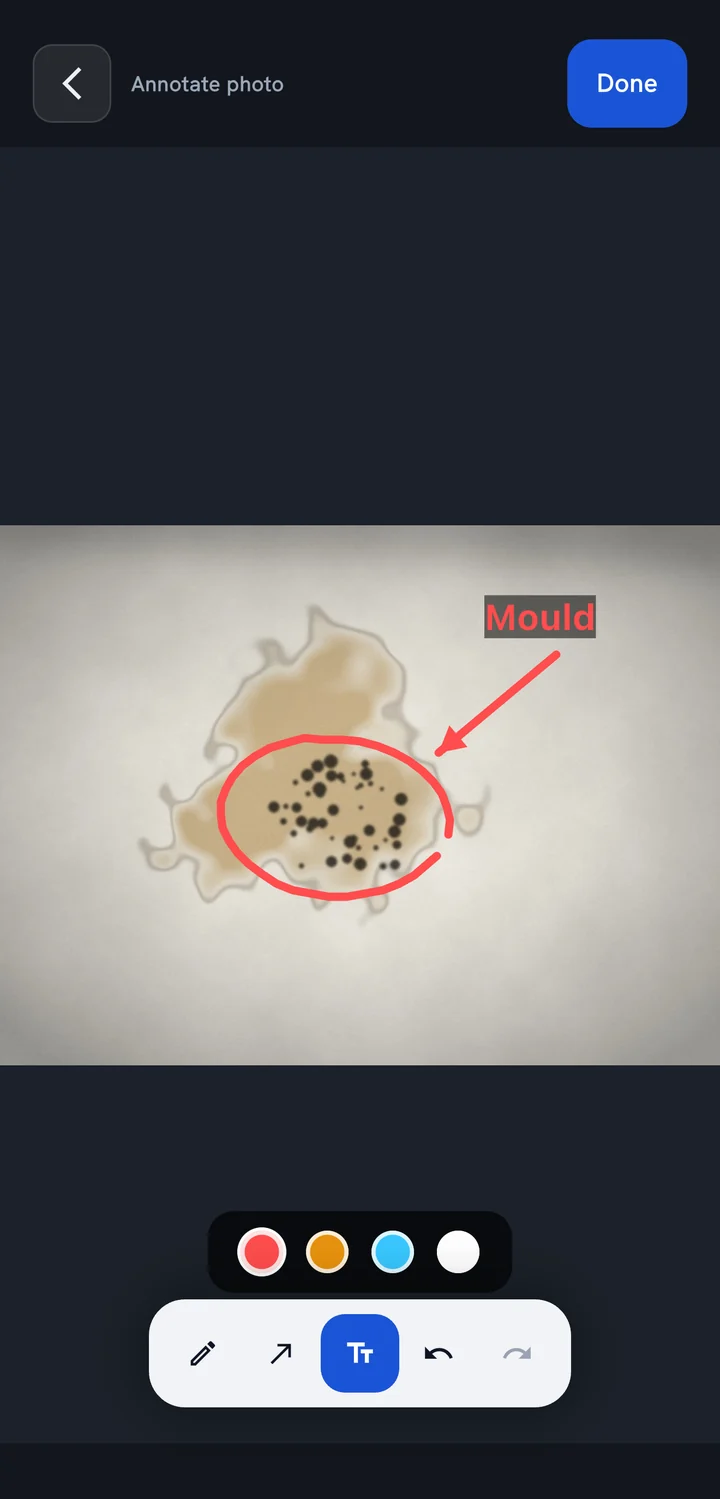
- Mark up photos
- Circle it, point an arrow at it, or add a text label, right on the photo.
- Log a walk-through fast
- "Add multiple" lets you list every issue title in one go and fill in the detail later.
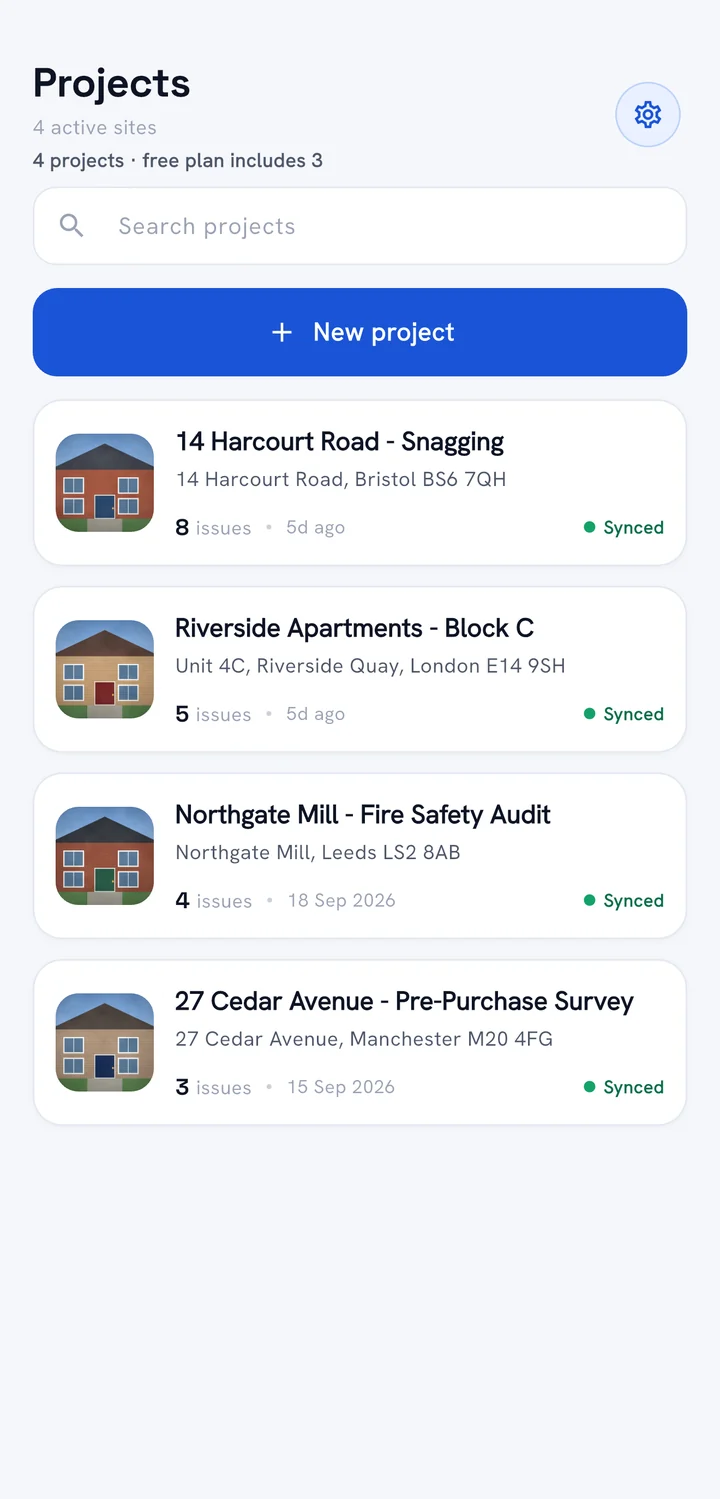
No signal? Keep working. It syncs on its own.
Everything you create is saved on your phone the moment you tap save. Back in range, AuditVo syncs in the background, so you always know your work is safe.
- Zero bars needed
- Create projects, issues and photos in basements, plant rooms and rural sites.
- Nothing lost
- Your work survives app restarts while you're offline.
- Clear sync status
- A Synced badge on every project, so there's no guessing.
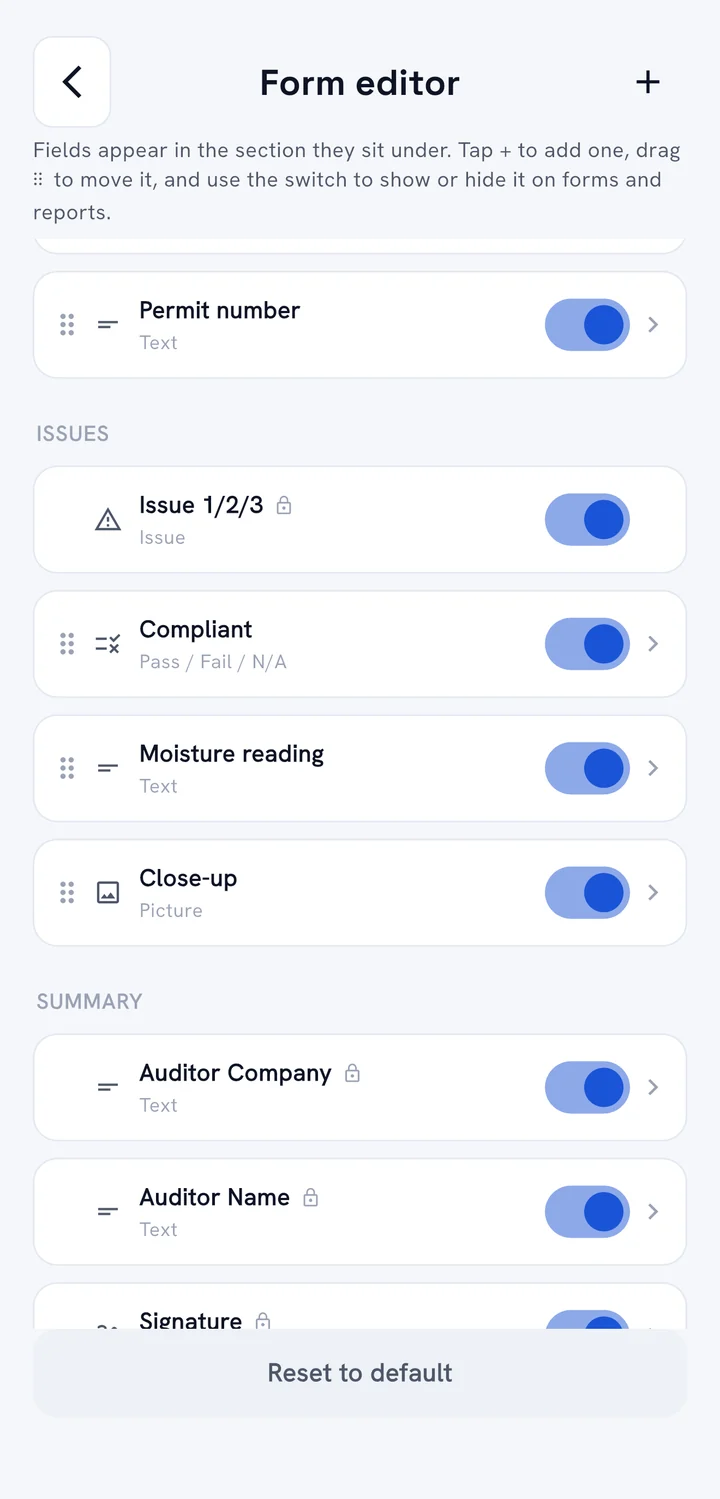
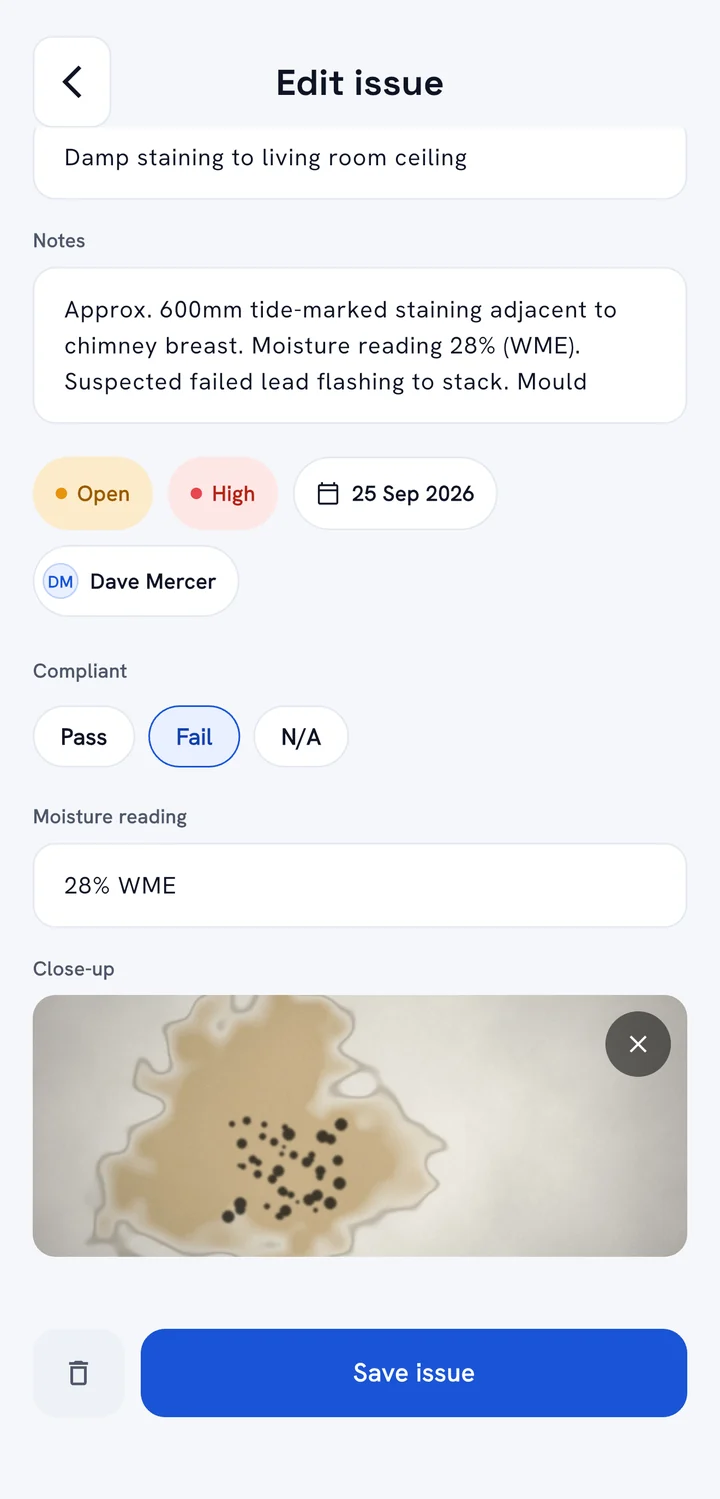
Record exactly what your inspections need.
Add your own fields to projects, every issue and the sign-off. They appear on the form while you work, in the PDF report, and as columns in your Excel/CSV export.
- Every field type you need
- Text, dates and times, pass / fail and yes / no checks, dropdowns, photos and signatures.
- Make the built-in fields yours
- Rename or hide them to match your paperwork.
- Included in the free plan
- No upgrade needed to build your own forms.
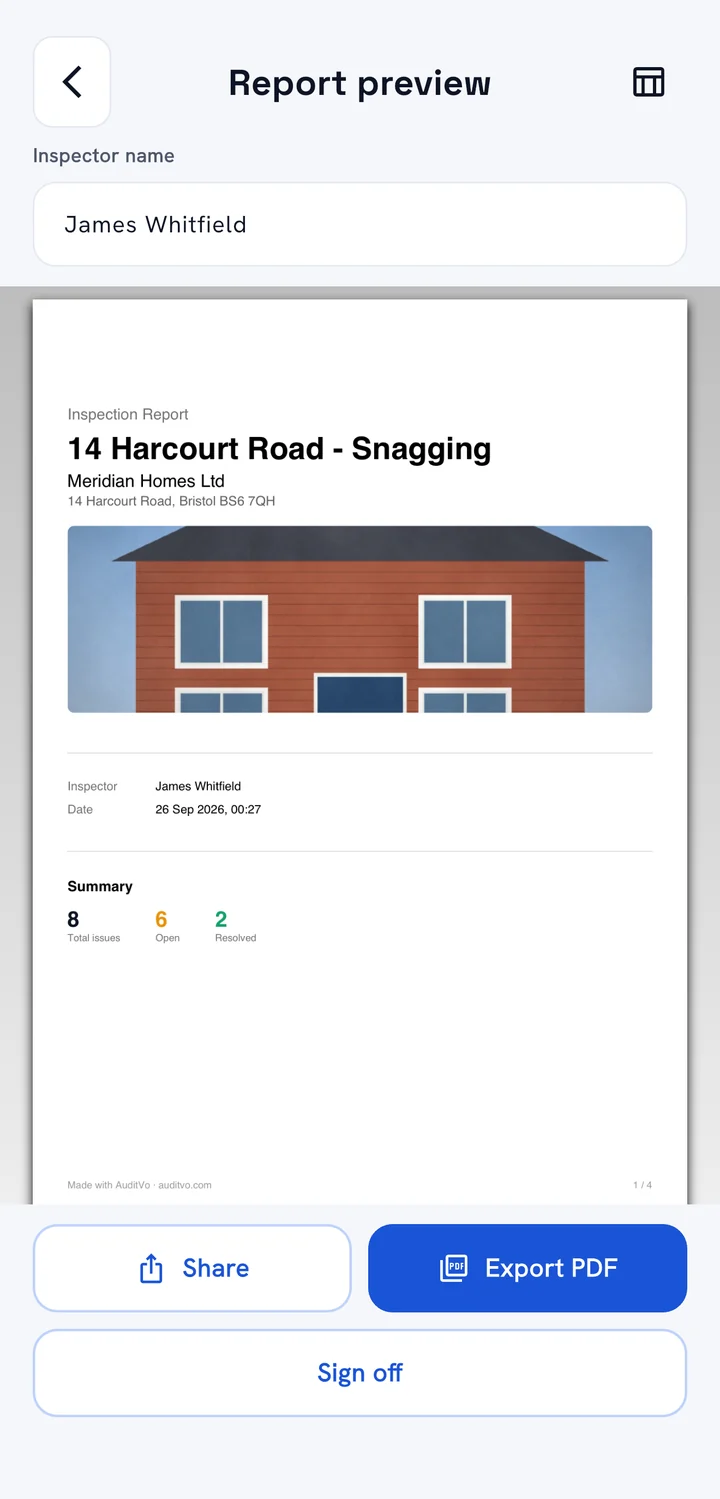
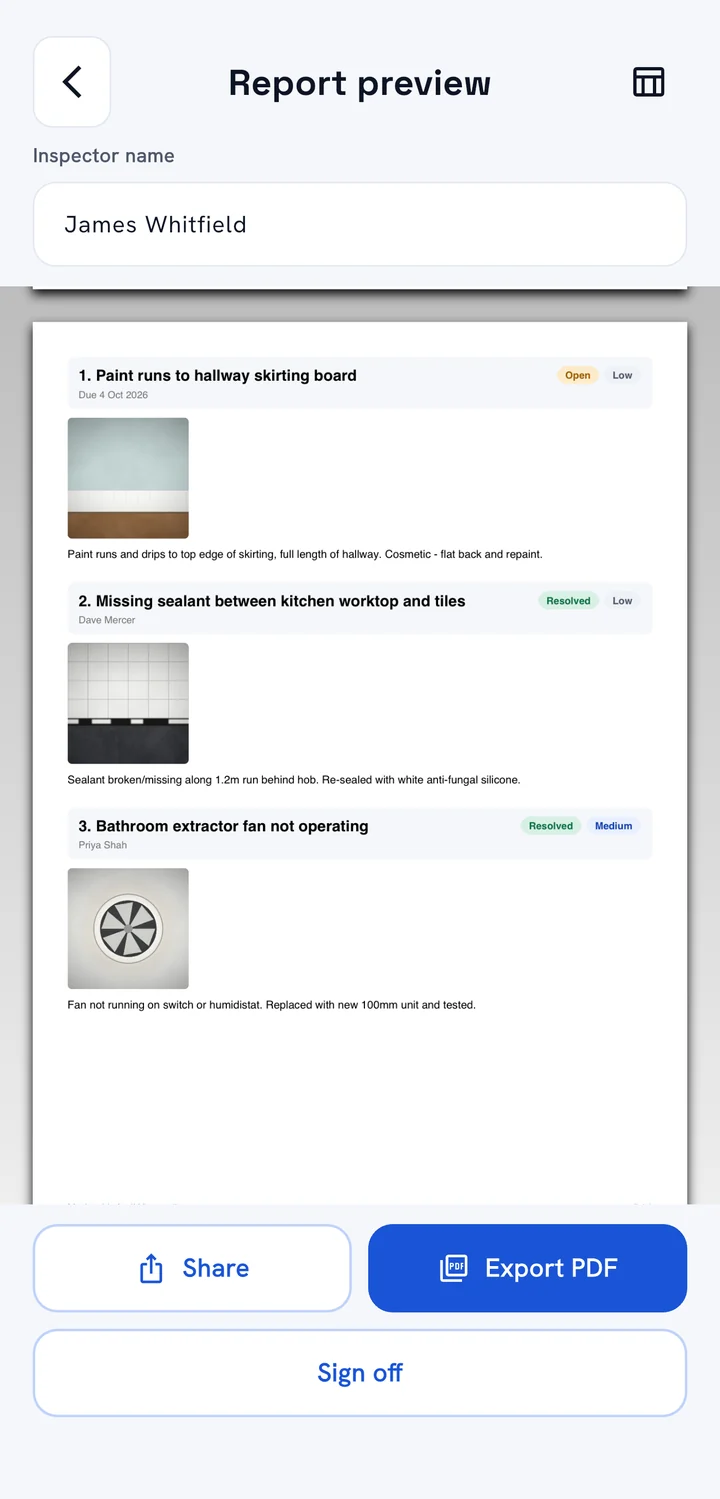
One tap to a client-ready PDF.
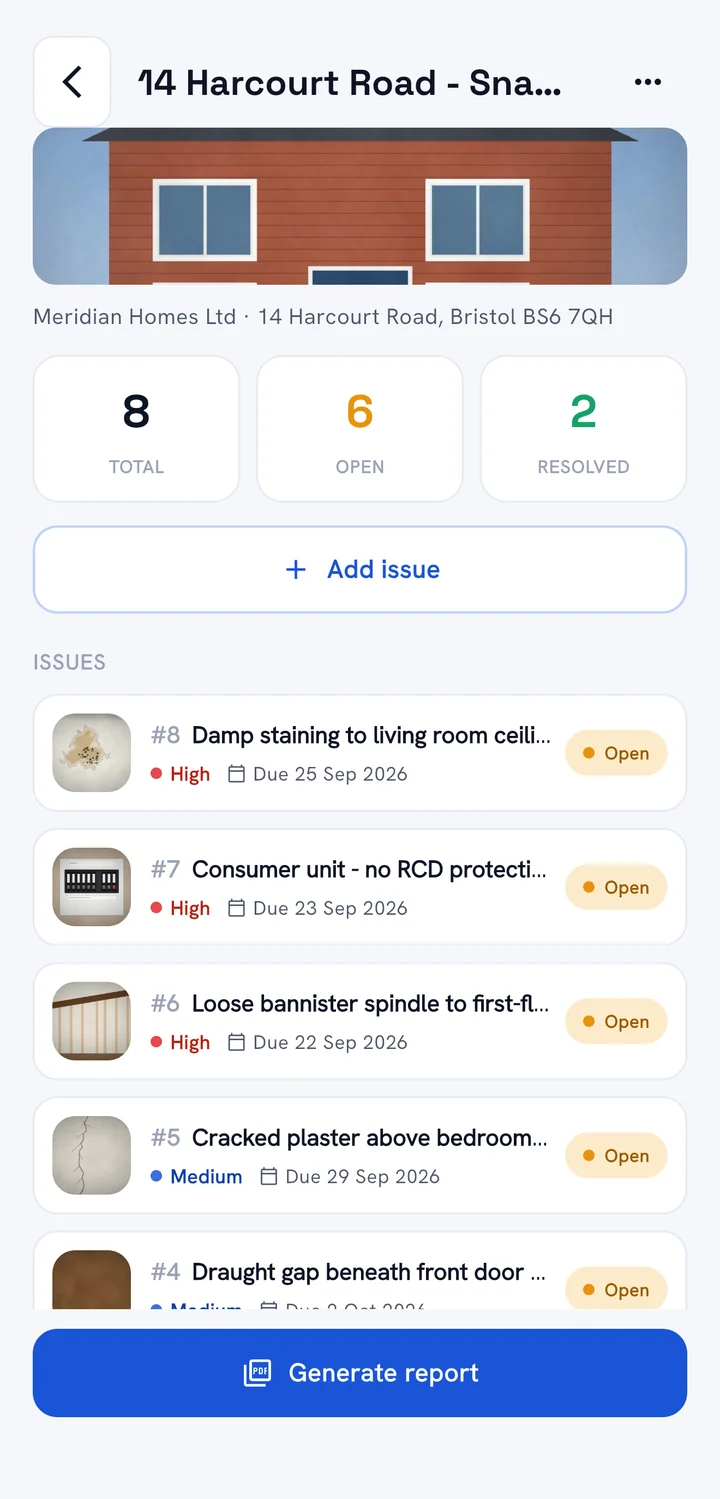
A clean cover page, a summary of open and resolved issues, then every defect with its photos and notes. Preview it, export it, and share it straight from the site.
- Share anywhere
- Email, WhatsApp, Drive or any app on your phone.
- Your brand on it Pro
- Add your company logo and remove the AuditVo footer.
- Excel/CSV export Pro
- Every issue and custom field as a spreadsheet row.
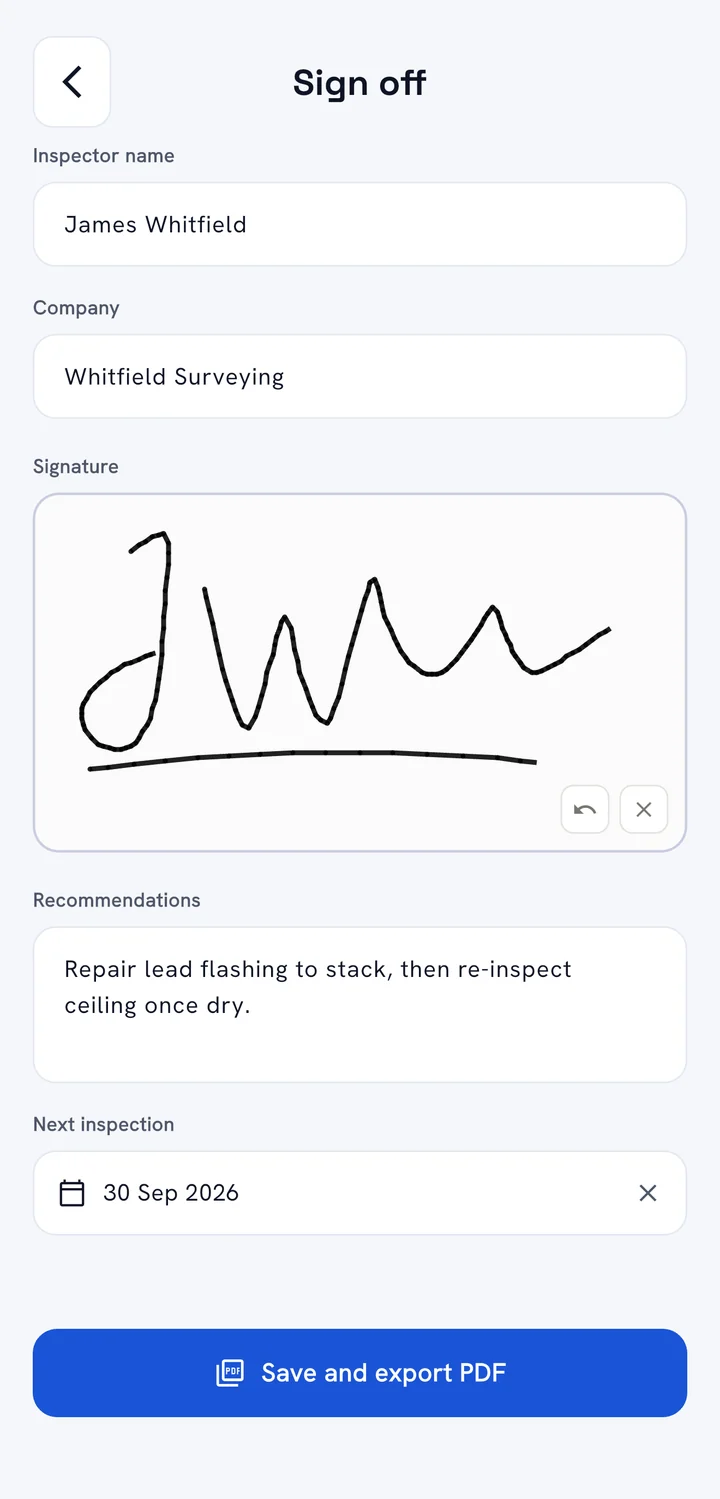
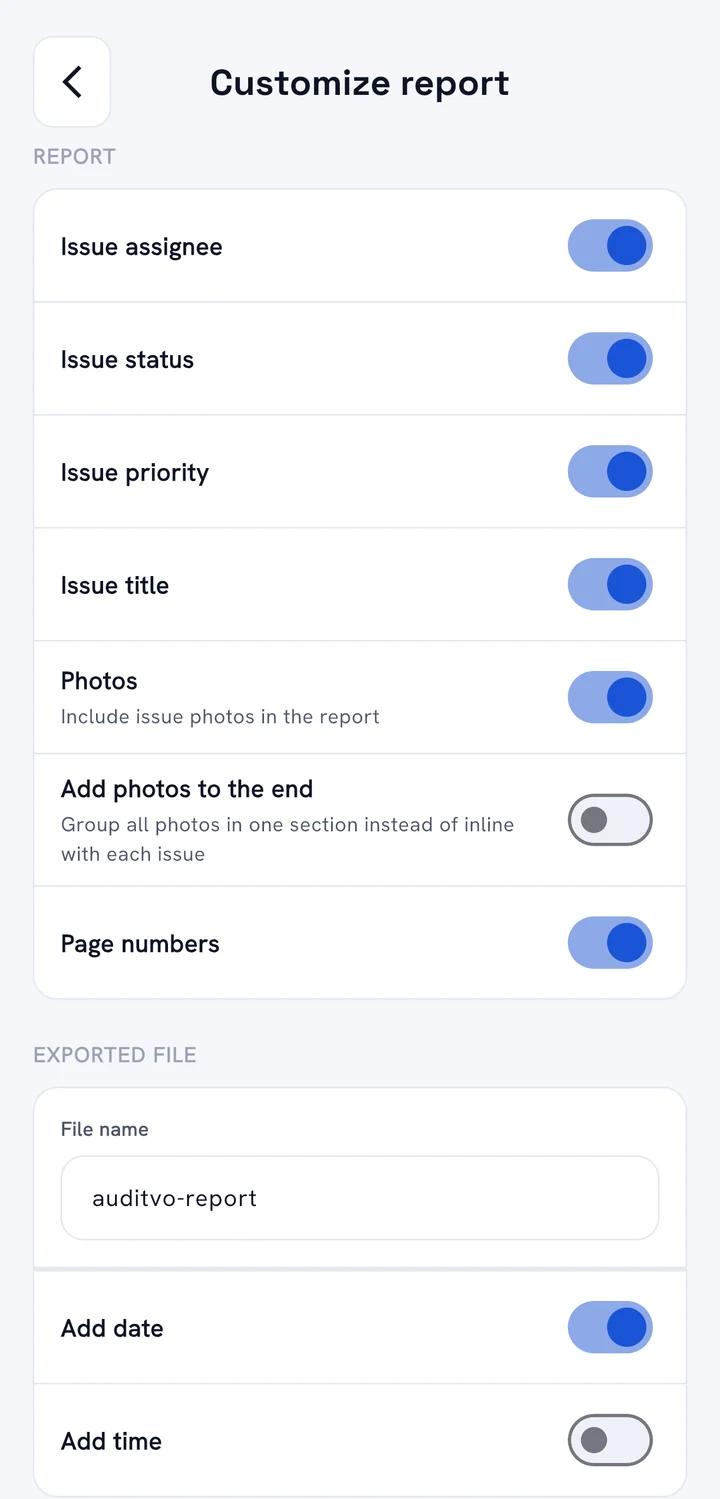
Signed on site. Set up your way.
Capture a signature right on the phone and it goes into the report. Then choose exactly what appears in your PDFs.
- On-screen signature
- Inspector name, company and signature, plus any sign-off fields you add.
- Report settings
- Show or hide assignee, status, priority, photos and page numbers.
- Tidy file names
- Set the file name and add the date or time automatically.
From walkthrough to report in four steps.
Built around how a real site visit actually happens.
Create a project
Name it, add the client and address, and an optional cover photo. It takes ten seconds.
Walk the site, log issues
Photos, mark-up, notes and priority for every defect, with live totals of what's open and resolved.
Sign off
Add the inspector's name and a signature on the phone, plus any sign-off fields you use.
Send the PDF
Preview it and share a professional report with your client before you leave.
Clean, fast, and made for gloves-on use.
Big tap targets, clear status colours and nothing you don't need on a site visit.
Swipe to see more
One app for every site, in every country.
AuditVo is available on Google Play worldwide. Because it doesn't depend on a connection, it works the same on a city high-rise, a remote farm building or a site halfway round the world.
Free to start. Pro when you're busy.
No weekly plans. No sign-up. Cancel any time in Google Play.
Free
Everything you need for your first jobs.
- 3 projects
- Unlimited issues and photos
- Works fully offline, auto-sync
- PDF reports and sign-off
- Custom form fields
- "Made with AuditVo" footer on reports
AuditVo Pro
or £4.99 per month. For inspectors with a full diary.
- Everything in Free
- Unlimited projects
- Your logo on reports, no AuditVo footer
- Excel/CSV export
- Cloud photo backup Coming soon
- AI issue triage Coming soon
Prices in GBP. Google Play shows the price in your local currency. The free trial applies to the yearly plan; it renews automatically unless cancelled at least 24 hours before it ends.
AuditVo for iPhone is on its way.
The same offline-first app, unlimited photos and one-tap PDF reports. Android users can start today, and your team can mix both once iPhone launches.
Questions, answered.
Do I need to create an account?
No. Open the app and start working. AuditVo uses a private, anonymous ID behind the scenes so your projects sync, without asking for your email or a password.
Does it really work with no signal?
Yes. Projects, issues and photos save to your phone instantly, even in airplane mode. When a connection returns, AuditVo syncs automatically and each project shows a Synced badge.
How many photos can I add to an issue?
As many as you need. There's no per-issue photo limit, and you can mark up any photo with a pen, arrows and text.
Can I add my own fields?
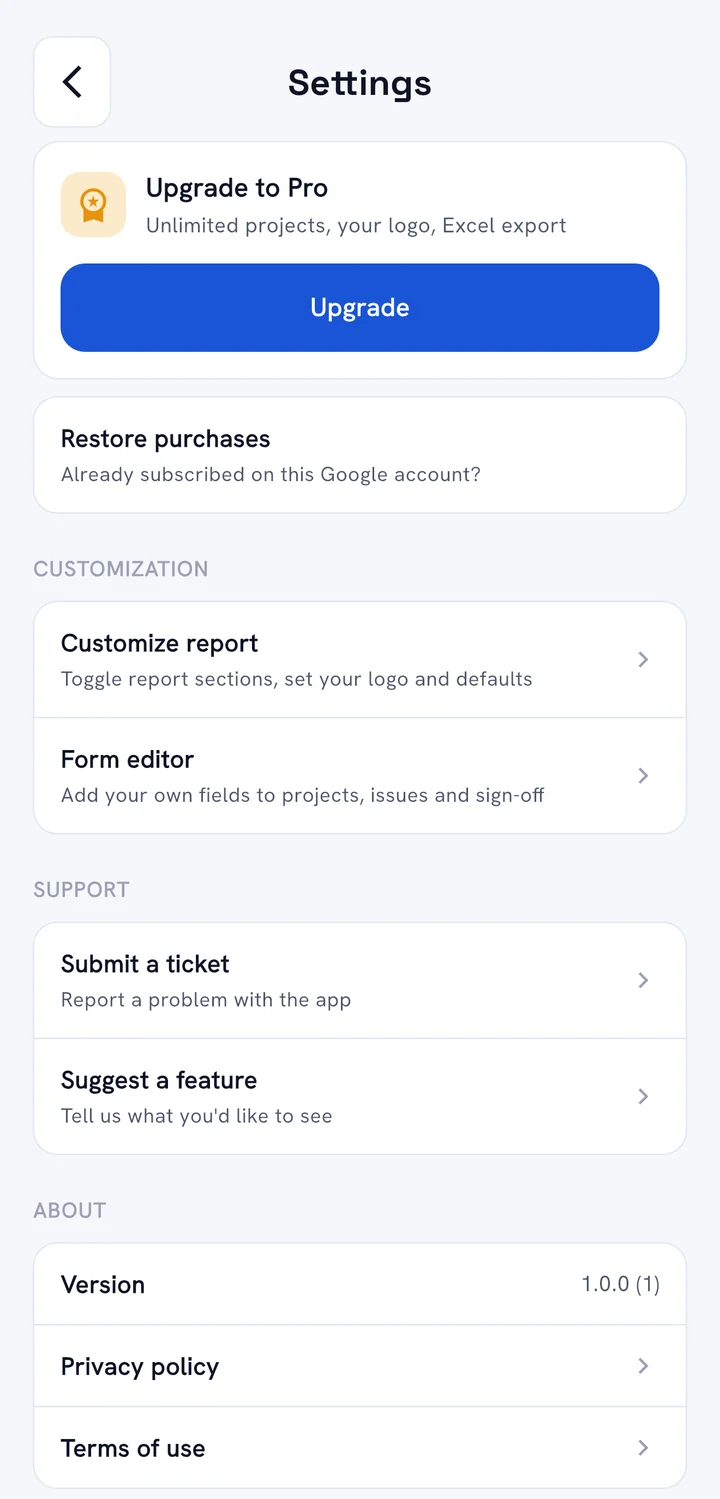
Yes. Go to Settings → Form editor and add fields to projects, issues or the sign-off, such as a permit number, a pass / fail check, a moisture reading or an extra photo. They show on your forms, in the PDF and in the Excel/CSV export. It's included in the free plan.
Is AuditVo free?
Yes. The free plan includes 3 projects, unlimited issues and photos, offline mode, custom fields, PDF reports and sign-off, with no time limit. AuditVo Pro (£4.99/month or £34.99/year, with a 7-day free trial on yearly) adds unlimited projects, your own logo on reports and Excel/CSV export.
Can I use it outside the UK?
Yes. AuditVo is available on Google Play worldwide and works the same in any country. The iPhone app is coming soon.
What happens to my projects if I stop paying for Pro?
Nothing is locked or deleted. You can still open, edit, export and delete every project. You just can't create a new one until you're back under 3 projects or upgrade again.
Is there an iPhone app?
It's coming soon to the App Store. Android is available now. Leave your email and we'll let you know the day it launches.
How do I delete my data?
Go to Settings → Delete my data in the app. It permanently removes every project, issue, photo, signature and setting. It doesn't cancel a Pro subscription: manage that in Google Play. See our Privacy Policy for details.
Your next site visit, sorted.
Free on Android today, iPhone coming soon. No account, no signal, no limits on photos.
Soon